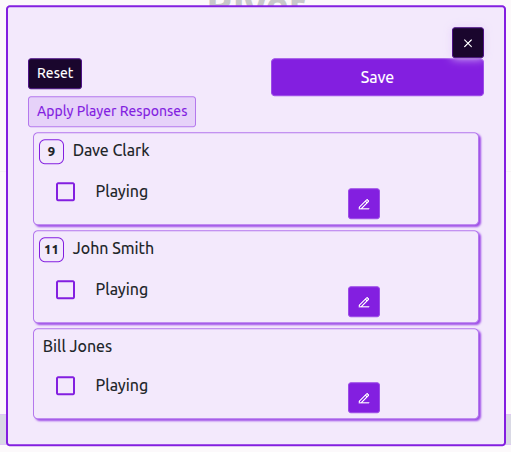
Team lineups are used by match officials and scorekeepers to track which players are participating in a game. A lineup includes a Playing / Not Playing status for each player, along with optional shirt or roster number and field position details. Team captains can set a default lineup for all matches and override it on a per-match basis when needed. Lineups can only be edited before the match starts; once a match is in progress, only match officials can make changes.
Team Lineups
Published on January 10, 2026
Step 1
Visit your Team Page
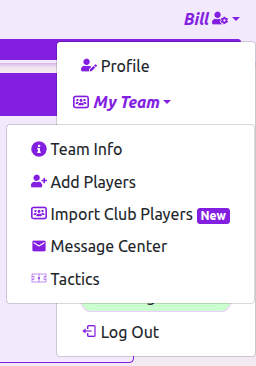
Click your name in the top right of the screen. Click My Team, followed by Team Info. Or go to your Team Page directly
Tip: If you don't see your name, confirm you're signed in.
Step 2
Open the Lineup Editor
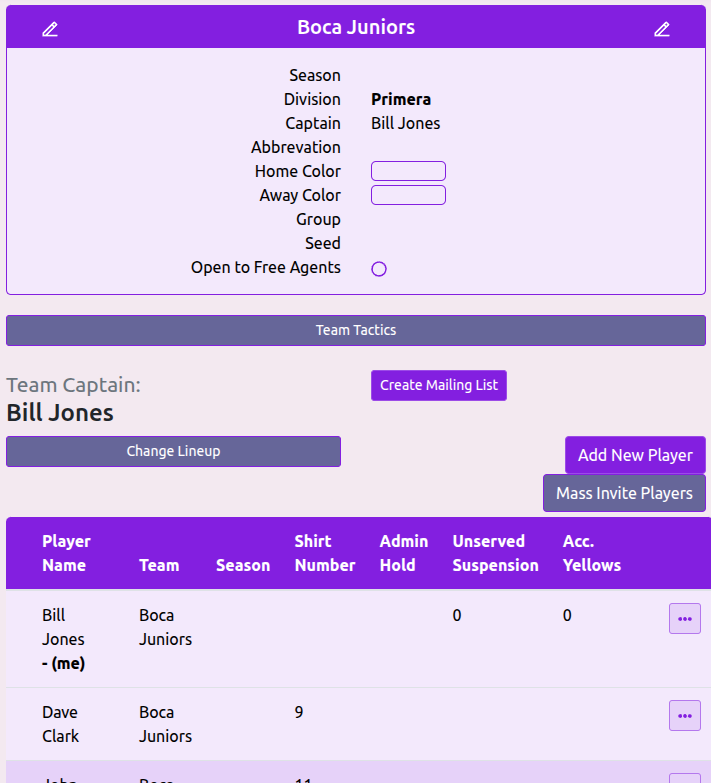
From your Team page click Change Lineup to bring up the lineup editor
Tip: You must be captain of this team or a league admin to see this button in.
Step 3
Change the Default Lineup
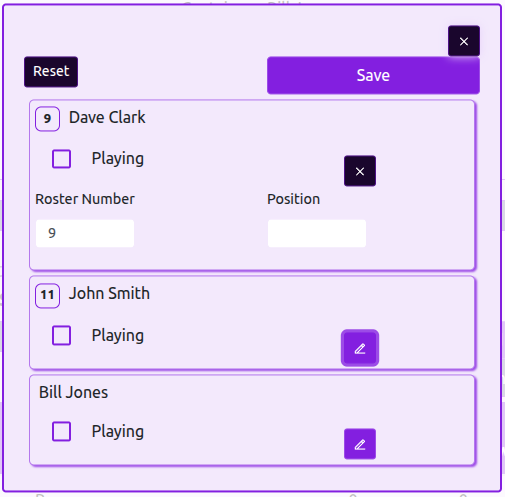
Check or uncheck the Playing checkbox to indicate to Match Officials if the player is expected to participate.
Click the purple edit button for each player to bring up their roster number or batting/kicking position and field position inputs.
These items will show on the scorecards for easier identification during the game.
Tip: Changes made are not final until the Save button is clicked.
Step 1
Visit the Scorecard Page
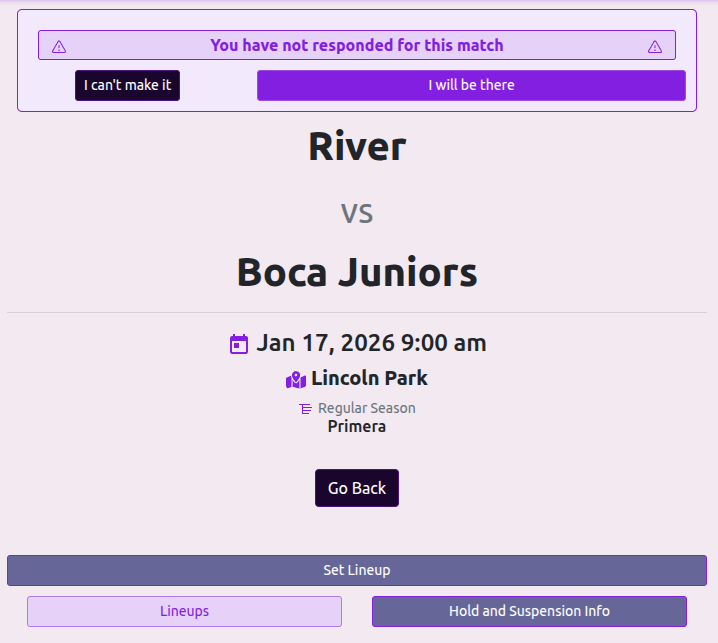
Navigate to the Scorecard page for the Match. This can often be done from the notification bar at the top telling you your next match.
You can find your next three upcoming matches on your Profile Page, or view Upcoming Matches
Click the Set Lineup button to get started.
Tip: You can only change a lineup for a match that has not started. Once in progress only the Scorekeeper can make lineup changes.
Step 2
Set your Lineup for this Match
Set your lineup for the match in the same way that you did for the default lineup on your team page.
Use the Apply Player Responses button to sync all player check-in responses with the Playing status.
The changes you make here will apply only to the single match.
Tip: If the lineup used for this match is the same as your default lineup you do not need to take any action .